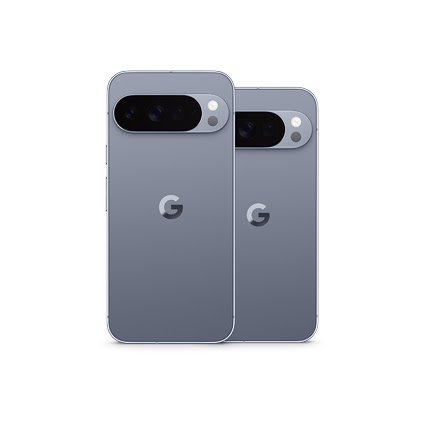

GrapheneOS is a privacy- and security-focused mobile operating system designed to give users greater control over their smartphones, personal data, applications, and digital security. Built on the Android Open Source Project (AOSP), GrapheneOS offers an alternative to conventional Android software, with additional security hardening, privacy controls, and features designed to reduce exposure to malicious applications and cyber threats.

As concerns about smartphone surveillance, data collection, tracking, and mobile security continue to grow, GrapheneOS has attracted attention from technology enthusiasts, cybersecurity professionals, privacy-conscious consumers, and users looking for a more secure Android experience.
Table of Contents
Unlike traditional Android distributions that often include Google applications and services by default, GrapheneOS takes a different approach. It provides a minimal operating system that allows users to decide whether and how to install Google services while retaining compatibility with many Android applications.
This article explores GrapheneOS, including its development, key features, security architecture, app compatibility, supported devices, advantages, limitations, and how it compares with standard Android.
1. What Is GrapheneOS?
GrapheneOS is an open-source, Android-based operating system developed by the GrapheneOS project, an independent nonprofit organization focused on mobile privacy and security.
It is not a completely separate mobile platform like iOS, nor is it simply an Android launcher or a customization application. GrapheneOS replaces the operating system software on a compatible smartphone with a modified version of Android that incorporates additional security protections.
The project builds on the Android Open Source Project (AOSP), which provides the foundation for many Android devices. However, GrapheneOS adds its own security improvements, privacy features, applications, and system-level modifications.
Its primary objectives include:
- Reducing the amount of personal information exposed to applications and online services.
- Strengthening protection against malicious software and exploitation of security vulnerabilities.
- Giving users more control over permissions, network access, sensors, and system features.
- Preserving compatibility with mainstream Android applications.
- Providing regular operating system and security updates for supported devices.
According to its official documentation, GrapheneOS focuses on practical security improvements rather than relying on obscurity or unnecessary customization features.
2. The History and Development of GrapheneOS
GrapheneOS originated as the Android-focused security project CopperheadOS before evolving into the independent GrapheneOS project.
The project was established around the principle that smartphone security should be built into the operating system itself rather than relying exclusively on antivirus applications, third-party security tools, or user awareness.
Over time, GrapheneOS developed a range of security technologies and privacy enhancements, including memory protection, hardened application environments, improved permission controls, and privacy-oriented applications.
Unlike many Android distributions that aim to support as many smartphone brands as possible, GrapheneOS deliberately maintains a narrower device-support policy.
Its developers evaluate devices based on their hardware security capabilities, availability of firmware and security updates, verified boot support, and the ability to implement the project’s security improvements.
3. Key Features of GrapheneOS
3.1. Advanced Security Hardening
Security hardening is one of the central characteristics of GrapheneOS.
Traditional Android already includes important protections, such as application sandboxing, verified boot, file-based encryption, and permission controls. GrapheneOS builds on these foundations by adding further safeguards to reduce the possibility of successful attacks.
For example, the operating system strengthens memory safety through technologies designed to make certain classes of software vulnerabilities more difficult to exploit.
These include hardened memory allocation, improved compiler protections, and support for hardware-based memory tagging on compatible devices.
Memory-related vulnerabilities can allow attackers to exploit applications through corrupted memory, potentially resulting in unauthorized access or code execution. GrapheneOS uses additional protection mechanisms to make such attacks harder.
3.2. Sandboxed Google Play Services
One of the most distinctive features of GrapheneOS is its approach to Google Play services.
On conventional Android phones, Google Play services often has privileged system-level integration and provides functionality used by many applications, including push notifications, location services, and application licensing.
GrapheneOS does not include Google Play services as a privileged component of the operating system by default. Instead, users can install official Google Play components and run them as ordinary applications within the standard Android application sandbox.
This means Google Play does not automatically receive the elevated operating system privileges that it typically has on a conventional Android installation.
Users can choose whether to install Google Play, which profile to install it in, and which applications should have access to it.
The compatibility layer is designed to allow official Google Play releases to operate without giving them the same privileged system integration found on stock Android.
However, installing Google Play does not make a device completely independent of Google. Google services can still process information associated with the user’s Google account and the applications that use them.
3.3. Granular Application Permissions
GrapheneOS provides enhanced control over the information applications can access.
Android users are already familiar with permissions for the camera, microphone, location, contacts, and storage. GrapheneOS builds on these controls with additional permission options.
One important example is the network permission. Users can revoke network access from individual applications, preventing them from communicating over available networks through the operating system’s networking interfaces.
This can be useful for applications that do not require internet connectivity but may otherwise transmit analytics, usage information, or other data.
GrapheneOS also provides a sensors permission that can restrict access to sensors such as the accelerometer, gyroscope, compass, and barometer.
The system also offers additional control over features such as USB connections, helping reduce the attack surface when a device is locked.
3.4. Vanadium: A Security-Focused Web Browser
Vanadium is the default browser and WebView implementation provided by GrapheneOS.
It is based on Chromium, the open-source browser project that also forms the foundation of browsers such as Google Chrome and Microsoft Edge.
However, Vanadium incorporates additional security and privacy hardening designed for the GrapheneOS environment.
Its protections include memory safety enhancements, strict site isolation, stronger application sandboxing, and options to reduce browser attack surfaces.
Vanadium also includes features intended to reduce tracking and limit unnecessary exposure of device information.
JavaScript just-in-time compilation is disabled by default, with the ability to enable it for individual websites when needed. This can reduce some attack surfaces, although disabling JIT may affect website performance or compatibility.
Vanadium is not a guarantee of anonymous browsing. Websites can still identify users through account logins, IP addresses, browser behavior, and other information.
3.5. Multiple User Profiles and Private Spaces
GrapheneOS supports Android’s multiple-user functionality, allowing people to create separate user environments on a single smartphone.
Each profile can have its own applications, accounts, settings, and data.
For example, a user might create:
- An owner profile for everyday applications and personal accounts.
- A secondary profile for work-related applications.
- Another profile for applications that require Google Play services.
Separating applications into different profiles can reduce the extent to which they share access to information. Applications installed in one profile do not automatically have access to the private data of applications in another profile.
Users can also end a session by ending a secondary user, which stops its applications and makes its data unavailable until the profile is started again.
3.6. Automatic Reboot for Improved Data Protection
GrapheneOS includes an automatic reboot feature that can improve protection for a locked smartphone.
When the device remains locked for a configured period, the operating system can automatically restart it.
This matters because encrypted data is generally more difficult to access before the device has been unlocked after a reboot.
GrapheneOS allows users to configure the automatic reboot timer, with options ranging from short intervals to several days.
The feature is particularly relevant to people concerned about physical access to their smartphones, although it does not prevent every form of physical attack or eliminate the need for a strong passcode.
3.7. Wi-Fi and Network Privacy
GrapheneOS includes several network privacy improvements designed to reduce unnecessary exposure of device information.
One example is per-connection MAC address randomization. A MAC address is a hardware-associated identifier used by network interfaces. If a device repeatedly uses the same identifier when connecting to Wi-Fi networks, it can potentially make tracking across connections easier.
GrapheneOS enables MAC randomization for individual Wi-Fi connections by default, helping reduce this form of tracking.
Users can combine these features with privacy-focused DNS providers, encrypted messaging applications, and virtual private network services.
However, MAC randomization does not conceal a user’s IP address, and a VPN does not prevent an application from collecting information that the user voluntarily provides.
3.8. USB-C Port and Physical Attack Protection
USB ports can be potential entry points for attacks when a smartphone is connected to an untrusted computer or accessory.
GrapheneOS provides additional controls for the USB-C port, including modes that restrict connections to charging while the device is locked.
These controls are designed to reduce the possibility of data access or exploitation through USB interfaces while the phone is unattended.
3.9. Auditor and Hardware-Based Verification
GrapheneOS includes Auditor, an application and associated attestation service designed to help users verify the integrity and authenticity of their devices.
Auditor uses hardware-backed security features to check information about the operating system and device.
The goal is to provide stronger evidence that the smartphone is running genuine, unmodified software and that important security properties have not been compromised.
4. GrapheneOS Supported Devices in 2026
One of the biggest differences between GrapheneOS and conventional Android is its limited official hardware support.
GrapheneOS is designed around devices that meet its security requirements, rather than supporting every smartphone with an Android operating system.

| Google Pixel family | Models |
|---|---|
| Pixel 10 series | Pixel 10, 10 Pro, 10 Pro XL, 10 Pro Fold |
| Pixel 10a | Pixel 10a |
| Pixel 9 series | Pixel 9, 9 Pro, 9 Pro XL, 9 Pro Fold |
| Pixel 9a | Pixel 9a |
| Pixel 8 series | Pixel 8, 8 Pro, 8a |
| Pixel 7 series | Pixel 7, 7 Pro, 7a |
| Pixel 6 series | Pixel 6, 6 Pro, 6a |
| Earlier supported models | Original Pixel Fold and Pixel Tablet |
Important: Device support and update eligibility can change. Check the official device list before purchasing or installing GrapheneOS.
The Pixel 8 generation and newer devices are particularly relevant because they offer hardware memory tagging and a longer guaranteed security update period.
Google provides a minimum seven-year update commitment for Pixel 8 and later devices, while some earlier supported models have shorter support periods.
A supported device does not necessarily receive GrapheneOS updates indefinitely. Continued support depends partly on the availability of security updates and firmware from the device manufacturer.
Why Doesn’t GrapheneOS Officially Support Samsung, Xiaomi, or Huawei?
Many readers wonder why GrapheneOS cannot simply be installed on a Samsung Galaxy, Xiaomi, Huawei, or other Android smartphone.
The reason is not that these manufacturers cannot produce secure smartphones. Rather, GrapheneOS has specific requirements for hardware security, firmware updates, verified boot, and the ability to implement its own modifications.
Smartphone manufacturers use different combinations of processors, security components, drivers, firmware, and bootloader implementations.
Some devices do not provide the level of access or long-term update guarantees needed to meet the project’s requirements.
Samsung Galaxy phones, Xiaomi smartphones, and Huawei devices are not part of GrapheneOS’s official production-supported device list as of September 2026.
5. How to Install GrapheneOS on a Google Pixel
Installing GrapheneOS involves replacing the existing operating system on a compatible smartphone. It is not an ordinary application installation.
The process is officially supported through a web-based installer and a command-line installation method.
Step 1: Choose a Supported Google Pixel
Start by selecting a Google Pixel model listed on the official GrapheneOS website.
Before purchasing a phone, verify that its bootloader can be unlocked. Certain carrier-sold devices may have bootloader restrictions that prevent installing another operating system.
Step 2: Back Up Your Data
Installing GrapheneOS will erase the existing data on the smartphone.
Back up photographs, contacts, messages, documents, authentication credentials, and any other important information. Check that your backup can actually be restored before proceeding.
Step 3: Prepare a Compatible Computer and Browser
The official web installer uses WebUSB, a browser technology that allows supported browsers to communicate with compatible USB devices.
Use a compatible desktop browser and a reliable USB data cable. Follow the exact preparation instructions on the official GrapheneOS installation page.
Step 4: Unlock the Bootloader
The bootloader must be unlocked to install GrapheneOS. This is a security-sensitive step because unlocking the bootloader changes the device’s verified boot state.
Follow the official installation instructions carefully and understand that unlocking the bootloader erases user data.
Step 5: Install GrapheneOS
Connect the Pixel to the computer and follow the official web installer.
The installer guides the user through downloading the appropriate operating system image and flashing it onto the device.
Do not disconnect the cable or interrupt the installation while the process is running.
Step 6: Relock the Bootloader
After the operating system has been installed, the official process requires relocking the bootloader.
This is a crucial part of completing the installation because verified boot is an important security feature.
Step 7: Configure the Phone
Once installation is complete, users can configure their preferred applications, accounts, profiles, and security settings.
They can install Google Play through the GrapheneOS app repository if required, or use applications from other sources.
Review permissions, enable automatic updates, establish a strong screen lock, and consider setting up Auditor.
6. GrapheneOS vs. Stock Android
GrapheneOS and standard Android share the same underlying open-source foundation, but they differ in system configuration, Google integration, security hardening, and device support.
For this comparison, stock Android refers primarily to the standard Google Pixel operating system, rather than every manufacturer’s customized Android version.
| Feature | GrapheneOS | Standard Pixel Android |
|---|---|---|
| Operating system | Hardened AOSP-based system | Google’s Android distribution |
| Google Play | Optional, sandboxed installation | Integrated into the operating system |
| App permissions | Standard permissions plus additional controls | Standard Android permission controls |
| Browser | Vanadium | Google Chrome by default |
| Device support | Selected Google Pixel devices | Supported Pixel devices |
| Multiple profiles | Supports separate user environments | Supports Android’s user and profile features |
| Security updates | GrapheneOS updates plus required device firmware support | Google-provided system and firmware updates |
| Customization | Privacy and security-focused configuration | Google ecosystem and Pixel features |
GrapheneOS does not remove every Google-related feature from a smartphone. Users can install official Google applications and services, including Google Play, and many applications work much as they do on conventional Android.
The key difference is that GrapheneOS gives users more control over how those components are installed and what privileges they receive.
7. Advantages of GrapheneOS
Stronger System Security
Additional memory protections, attack surface reduction, and hardware-backed security features can make certain attacks more difficult.
More Privacy Controls
Users can restrict network access, sensors, and other permissions on an application-by-application basis.
Compatibility With Android Apps
The system retains compatibility with many mainstream Android applications, including those that need Google Play services.
Separate User Environments
Multiple profiles allow users to separate personal, professional, and less-trusted applications.
Automatic System Updates
GrapheneOS provides automatic background updates, helping users receive operating system security fixes without manually flashing every release.
These features can be particularly valuable for journalists, developers, cybersecurity researchers, business professionals, and ordinary smartphone owners who want to reduce unnecessary data exposure.
8. Disadvantages and Limitations of GrapheneOS
Limited Smartphone Compatibility
GrapheneOS officially supports a restricted range of Google Pixel devices. People who prefer Samsung Galaxy, Xiaomi, Huawei, or other manufacturers may need to purchase a compatible Pixel specifically for GrapheneOS.
Some Applications May Not Work Correctly
Although many Android applications work, certain applications depend on privileged Google services, device integrity checks, or manufacturer-specific software.
Banking applications, mobile payment services, games with aggressive anti-cheat systems, and some corporate applications may refuse to run or have limited functionality.
Google-Dependent Features May Require Additional Setup
Applications that rely on Google Play services may require sandboxed Google Play to be installed and configured. Some notification, location, or authentication features may not function as expected without the relevant services.
Learning Curve for New Users
GrapheneOS provides more configuration options than many conventional Android installations. Users unfamiliar with bootloaders, profiles, permissions, and security settings may need time to understand the system.
Not Complete Anonymity
GrapheneOS protects the device and offers better control over application access, but it does not automatically hide the user’s identity from websites, mobile carriers, applications, or online accounts.
9. Is GrapheneOS Free?
Yes. GrapheneOS is free and open-source software.
Users do not need to pay a subscription or purchase a special license to install and use the operating system.
However, users need compatible hardware, which means the cost of purchasing a supported Google Pixel may be the main expense.
Some third-party sellers offer Pixel devices with GrapheneOS preinstalled, but the GrapheneOS project states that it is not affiliated with or endorsing those companies.
The project recommends purchasing a supported device and installing the operating system using its official installer.
10. Frequently Asked Questions About GrapheneOS
Is GrapheneOS better than Android?
GrapheneOS is an Android-based operating system that adds privacy and security improvements. Whether it suits someone better depends on their requirements, preferred applications, device compatibility, and willingness to configure additional security controls.
Can I use WhatsApp on GrapheneOS?
Yes, WhatsApp can generally be installed on GrapheneOS. Its core messaging functionality is compatible with Android, although notifications and certain integrations may depend on the configuration of Google Play services.
Does GrapheneOS support Google Play Store?
Yes. Users can install the official Google Play Store and Google Play services in a sandboxed environment. These components do not receive the same privileged system access they normally have on stock Android.
Can GrapheneOS be installed on Samsung phones?
No Samsung Galaxy model is currently listed as an officially supported GrapheneOS device. The official production-supported device list focuses on Google Pixel hardware.
Can GrapheneOS prevent hackers from accessing my phone?
GrapheneOS includes security measures that make many forms of exploitation more difficult. However, no operating system can guarantee complete protection against every attacker, vulnerability, phishing attempt, or account compromise.
Does GrapheneOS improve battery life?
Battery life depends on the device, installed applications, network conditions, and user settings. GrapheneOS does not guarantee longer battery life than standard Android, and individual results can vary.
Is GrapheneOS suitable for everyday use?
Yes, it can be used for everyday activities such as calls, messaging, browsing, photography, and application use. People who depend on specific banking, payment, or corporate applications should verify compatibility before switching.
Conclusion
GrapheneOS represents a different approach to smartphone software, placing privacy, security, and user control at the center of the Android experience.
By combining Android’s application ecosystem with hardened system components, sandboxed Google Play, enhanced permissions, Vanadium, and hardware-backed security features, it provides an alternative for people who want more control over their mobile devices.
Its main trade-offs are limited hardware compatibility, occasional application compatibility problems, and the need for users to understand and configure their devices carefully.
For anyone researching secure mobile operating systems, GrapheneOS is an important example of how open-source software and modern smartphone hardware can be combined to improve privacy and security without abandoning the Android application ecosystem.
Sources: