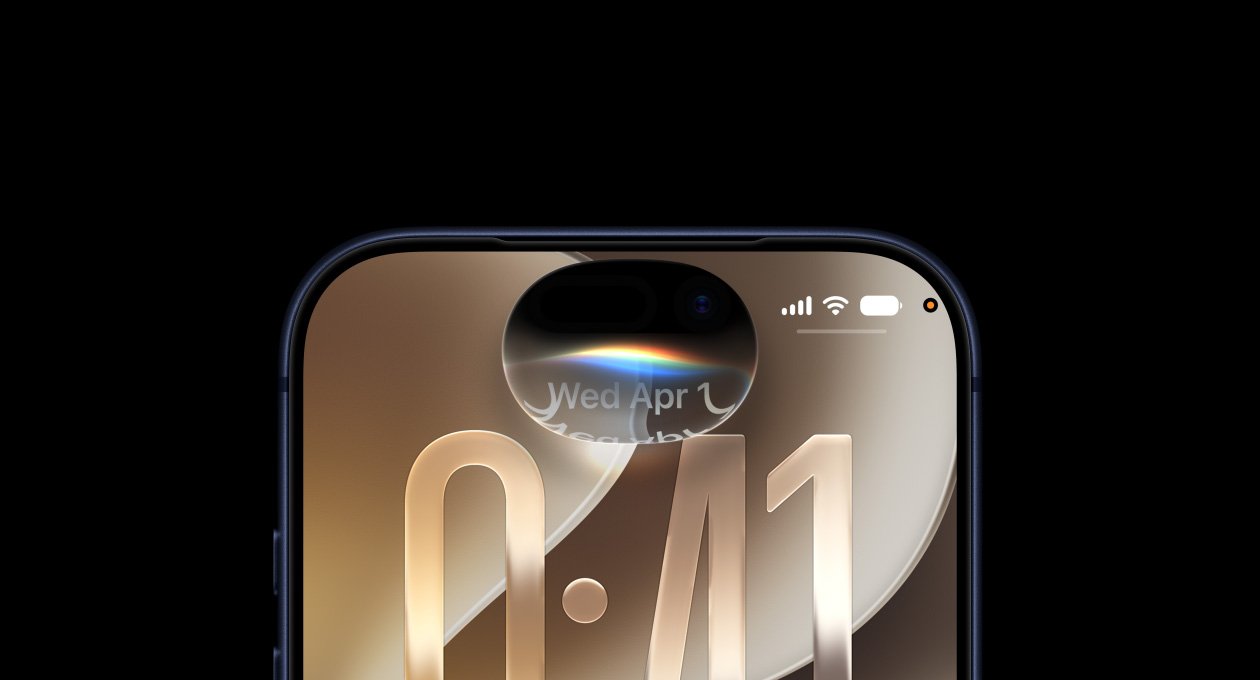

iOS 27 is Apple’s latest major operating system for the iPhone, bringing a substantial expansion of Apple Intelligence, a redesigned and more capable Siri, new photography and productivity tools, stronger child-safety features, accessibility improvements and a range of refinements throughout the iPhone experience.

Apple previewed iOS 27 at WWDC 2026 on June 8, 2026, before releasing the public version on September 14, 2026. The update is available for a surprisingly broad range of iPhone models, extending as far back as the iPhone 11 generation. However, many of the most advanced Apple Intelligence capabilities require newer hardware, beginning with the iPhone 15 Pro and later supported models.
Table of Contents
The headline feature is Siri AI, an extensively upgraded version of Apple’s voice and text assistant. Siri can now understand more context, recognize what’s on the screen, interact with applications through natural language and use personal information to provide more relevant assistance.
iOS 27 also expands Apple’s AI capabilities into Photos, Safari, Image Playground, Mail, Messages and other everyday applications. At the same time, Apple has introduced new parental controls, security improvements and developer frameworks that allow third-party applications to take greater advantage of Apple’s on-device AI technologies.
What Is iOS 27?
iOS 27 is Apple’s 2026-generation operating system for the iPhone.
It combines Apple’s own software technologies with the underlying improvements introduced through the latest generation of Apple’s operating-system platforms.
The update focuses on several major areas:
- Apple Intelligence
- Siri AI
- Personalization
- Photography
- Productivity
- Privacy
- Security
- Child safety
- Accessibility
- App integration
- On-device AI
- Developer tools
Apple describes iOS 27 as an update designed to make the iPhone more personal, useful and responsive while introducing a new generation of AI-powered capabilities.

iOS 27 Release Date
Apple announced iOS 27 at WWDC 2026 on June 8, 2026.
The company subsequently provided developer and public beta versions before releasing the stable software on September 14, 2026.
Apple’s September release introduced iOS 27 alongside new versions of iPadOS, macOS, watchOS, visionOS and tvOS.
The initial release is being followed by additional updates and feature expansions. In particular, Siri AI is rolling out as a beta, with additional languages scheduled to follow.
iOS 27 and Apple Intelligence
Apple Intelligence is the central theme of iOS 27.
Instead of limiting AI to isolated applications, Apple is integrating it more deeply into the operating system.
The updated Apple Intelligence system can assist with:
- Writing
- Image editing
- Search
- Translation
- Voice assistance
- App actions
- Personal context
- Content creation
- On-device AI processing
Apple says the next generation of Apple Intelligence makes everyday applications smarter and more useful.
The company has also expanded the underlying technology available to developers, allowing third-party applications to use Apple’s on-device foundation models.
Siri AI
The biggest iOS 27 feature is Siri AI.
This is more than a cosmetic update to the existing Siri interface.
Apple has rebuilt Siri around the next generation of Apple Intelligence, giving it greater language understanding, personal context, onscreen awareness and the ability to interact with applications through natural-language requests.
Siri AI can understand conversational instructions instead of requiring users to remember specific commands.
For example, a user can ask Siri to find information, prepare content and perform actions across supported applications without manually navigating through every screen.
Apple describes Siri AI as a more conversational assistant with:
- Personal context
- Onscreen awareness
- Broader knowledge
- Natural-language interaction
- Systemwide app actions
- Improved writing assistance
Siri AI and Personal Context
One of the most important changes is Siri’s ability to use personal context.
Instead of treating every request as an isolated question, Siri AI can use information available on the user’s device to better understand what the user means.
For example, when drafting a message or finding information, Siri can use relevant information from supported applications and the user’s activities.
Apple’s approach is designed around privacy, with Apple Intelligence combining on-device processing with Private Cloud Compute for requests that require additional computational resources.
The goal is to make Siri more useful without turning personal information into an uncontrolled cloud data source.
Siri AI Understands the Screen
iOS 27 also gives Siri greater awareness of what is currently displayed on the iPhone.
This means users can refer to information on their screen naturally.
Instead of describing an image, document or webpage manually, users can ask Siri about content that is currently visible.
Apple calls this onscreen awareness.
This capability can be particularly useful when reading:
- Websites
- Messages
- Documents
- Photographs
- Emails
- Maps
- Social-media content
The assistant can use the visual context to understand what the user is referring to.

Siri AI and Apps
Another major change is Siri’s deeper integration with applications.
Apple has expanded its App Intents framework so developers can expose application content and actions to Siri and Apple Intelligence.
This allows users to perform certain application tasks using natural language.
For developers, this means an application does not necessarily need to remain isolated behind its own interface.
Siri can potentially discover content within the application and allow users to interact with it conversationally. Apple’s developer documentation says App Intents can expose app content and actions through natural language and integrate application entities into Spotlight’s semantic index.
Siri AI Writing Assistance
Siri AI also becomes more useful when users are writing.
When composing emails or messages, Siri can help generate and refine content.
One particularly interesting capability is personalization.
Apple says Siri can reflect how users normally communicate with individual recipients, including their typical punctuation and tone.
For example, if someone normally sends a particular contact concise bullet points, Siri can use that style when helping draft a message.
Siri can also provide writing suggestions and proofreading assistance.
Apple says automatic proofreading works across the system, including most third-party applications.
Siri AI Availability
Siri AI is being introduced gradually.
Apple’s September 2026 rollout lists Siri AI as a beta in English, with French, Japanese, Korean, Portuguese and Spanish support scheduled for October.
This means the full Siri AI experience should not be considered universally available in every language immediately.
Apple also warns that some features can vary according to:
- Device
- Language
- Region
- Local regulations
- Application
Apple Intelligence Requirements
Not every iPhone compatible with iOS 27 can run every Apple Intelligence feature.
Apple currently lists Apple Intelligence support on:
- iPhone 15 Pro
- iPhone 15 Pro Max
- iPhone 16 series
- iPhone 17 series
- iPhone Air
- iPhone 18 Pro
- iPhone 18 Pro Max
The exact feature set can vary.
Apple’s support documentation states that iOS 27 itself supports a much wider range of iPhones, including the iPhone 11 generation and newer models, while Apple Intelligence requires newer hardware.
iOS 27 Supported iPhones
One of the notable aspects of iOS 27 is its broad device compatibility.
Apple’s current iOS 27 compatibility list includes:
iPhone 11 Series
- iPhone 11
- iPhone 11 Pro
- iPhone 11 Pro Max
iPhone 12 Series
- iPhone 12 mini
- iPhone 12
- iPhone 12 Pro
- iPhone 12 Pro Max
iPhone 13 Series
- iPhone 13 mini
- iPhone 13
- iPhone 13 Pro
- iPhone 13 Pro Max
iPhone 14 Series
- iPhone 14
- iPhone 14 Plus
- iPhone 14 Pro
- iPhone 14 Pro Max
iPhone 15 Series
- iPhone 15
- iPhone 15 Plus
- iPhone 15 Pro
- iPhone 15 Pro Max
iPhone 16 Series
- iPhone 16
- iPhone 16 Plus
- iPhone 16 Pro
- iPhone 16 Pro Max
- iPhone 16e
iPhone 17 Series
- iPhone 17
- iPhone 17 Pro
- iPhone 17 Pro Max
- iPhone 17e
iPhone Air
iPhone 18 Series
- iPhone 18 Pro
- iPhone 18 Pro Max
iPhone SE
- iPhone SE (2nd generation)
- iPhone SE (3rd generation)
Apple’s official support documentation confirms this compatibility list and notes that individual applications and features can vary according to the iPhone model, region, language and carrier.
iOS 27 on Older iPhones
The continued support of devices as old as the iPhone 11 is significant.
These phones were released years before iOS 27, yet Apple continues to support them with the latest major operating system.
However, users should distinguish between iOS 27 compatibility and complete iOS 27 feature support.
An iPhone 11 can install iOS 27, but it does not have the hardware required for Apple’s latest Apple Intelligence capabilities.
This means the experience differs substantially between an older compatible iPhone and a recent Apple Intelligence-capable model.
New Photos Features
Apple has expanded AI-powered editing in Photos.
iOS 27 introduces new tools designed to make sophisticated edits easier for ordinary users.
One highlighted feature is Spatial Reframing.
This allows users to transform photographs in ways that can create a more spatial or immersive presentation.
Apple has also upgraded Clean Up, its AI-powered object-removal feature.
The system can identify unwanted objects and remove them from photographs while reconstructing the background.
Apple lists these AI photography capabilities among the headline iOS 27 features.
Spatial Reframing
Spatial Reframing is particularly interesting because it extends the relationship between traditional photographs and Apple’s spatial-computing ecosystem.
Rather than simply cropping an image, the feature can reinterpret photographic content to produce a more spatial result.
This demonstrates Apple’s broader attempt to connect:
iPhone photography → Apple Intelligence → Spatial computing
The feature is especially relevant to users who own devices such as Apple Vision Pro.
Improved Clean Up
Clean Up was introduced as an Apple Intelligence photography feature before iOS 27, but Apple continues to improve it.
In iOS 27, Apple has upgraded the editing experience to make object removal easier.
A user can identify unwanted objects in an image, and the system attempts to reconstruct the surrounding area.
Because the feature is AI-powered, results can vary depending on:
- Image complexity
- Lighting
- Object size
- Background detail
- Subject overlap
Image Playground
Image Playground also receives additional capabilities in iOS 27.
Apple is expanding the ways users can turn ideas into images.
The application is integrated into the wider Apple Intelligence system, allowing users to create visual content using natural-language descriptions.
The updated experience is designed to make image creation more accessible without requiring professional image-editing software.
Apple identifies Image Playground as one of the applications benefiting from the next generation of Apple Intelligence.
Safari and Apple Intelligence
Safari also gains AI-related functionality.
The browser can use Apple’s intelligence systems to make information easier to understand and interact with.
This can include assistance with webpage content and intelligent processing of information.
Apple’s objective is to make Safari more than a conventional browser by adding AI capabilities while maintaining its existing privacy-focused architecture.
iOS 27 and Mail
Mail receives deeper Apple Intelligence integration.
Siri can help users compose messages based on natural-language instructions.
The system can also personalize writing according to how a user normally communicates with different people.
This is a significant shift from generic AI writing assistance.
Instead of generating identical formal text for everyone, Apple is attempting to make AI-assisted communication more reflective of the user’s existing writing style.
iOS 27 and Messages
Messages also benefits from Apple’s expanded intelligence capabilities.
Siri can assist with drafting responses and understanding information related to conversations.
Because iOS 27’s AI features can use context, users can issue requests without necessarily explaining every detail manually.
Apple’s goal is to make AI assistance feel like part of the operating system rather than a separate chatbot application.
Foundation Models Framework
For developers, one of the most important iOS 27 changes is the Foundation Models framework.
Apple is providing developers with access to the same family of on-device models that powers Apple Intelligence.
The framework allows developers to build applications using language models directly on Apple hardware.
Apple says developers can use multimodal prompts, allowing models to process images alongside text.
Developers can also combine AI models with Apple’s Vision framework for capabilities such as:
- OCR
- Barcode recognition
- Visual understanding
On-Device AI
Apple is putting considerable emphasis on on-device AI.
Running AI locally provides several potential benefits.
Privacy
Sensitive information can remain on the device instead of automatically being sent to a remote server.
Speed
Local processing can reduce the delay associated with sending a request to a cloud service and waiting for a response.
Offline Capability
Certain AI operations can work without a continuous internet connection.
Cost
For developers, Apple’s on-device foundation models can reduce dependence on external AI APIs for supported workloads.
Apple’s developer documentation specifically describes its Core AI framework as enabling developers to run AI models on-device with no server dependency and no token costs.
Core AI
Another major developer-oriented addition is Core AI.
Core AI is designed specifically for Apple Silicon and gives developers a modern framework for running their own AI models locally.
Apple says Core AI provides:
- Memory-safe Swift APIs
- On-device model execution
- Hardware-specific model optimization
- Fine-grained inference memory control
- Zero-copy data paths
- Stateful execution
This means iOS 27 is not only an update for consumers.
It also creates a foundation for developers to build a new generation of AI-powered applications.
Privacy and Apple Intelligence
Apple continues to emphasize privacy as a core part of its AI strategy.
The company’s approach combines local processing with Private Cloud Compute when additional computational resources are necessary.
Private Cloud Compute is designed to allow more demanding AI tasks to be processed on Apple’s servers without treating those servers like conventional cloud AI systems.
The broader objective is to keep personal information protected while still providing advanced AI capabilities.
iOS 27 and Child Safety
Child safety is another major focus of Apple’s 2026 software updates.
Apple introduced new parental controls intended to help families create safer digital environments.
These tools are designed to give parents more control over:
- Communication
- App usage
- Content
- Age-appropriate experiences
- Children’s online activities
Apple introduced these changes across its operating systems, including iOS 27.
Communication Safety Improvements
Apple continues to expand safety protections around communications.
The goal is to give parents more visibility and control while preserving appropriate privacy boundaries.
These tools are particularly relevant for families whose children use iPhones independently.
Apple has also continued developing age-related systems that help applications and services determine whether certain experiences are appropriate for younger users.
iOS 27 Accessibility
Accessibility remains a major component of Apple’s software development.
iOS 27 continues Apple’s work across areas such as:
- Vision
- Hearing
- Motor accessibility
- Cognitive accessibility
- Text interaction
- Voice control
The wider Apple platform update also introduces improvements designed to make devices easier to navigate and customize.
Because accessibility features can differ by device, users should check Apple’s accessibility documentation for their particular iPhone.
iOS 27 Performance
Apple describes iOS 27 as delivering improvements that make its platforms more responsive and reliable.
Performance improvements are particularly important because iOS 27 supports devices spanning several generations of Apple hardware.
On newer iPhones, the operating system can take advantage of more powerful processors and dedicated Neural Engine hardware.
Older devices have fewer resources and may not receive all AI features.
iOS 27 Battery Life
Battery life after a major operating-system update can vary from one iPhone to another.
Several factors affect battery performance, including:
- Processor generation
- Battery health
- Display brightness
- Cellular signal
- AI usage
- Background applications
- Camera usage
- Location services
iOS 27 itself is not simply a battery-life update.
Its biggest emphasis is on AI, Siri, security, productivity and personalization.
Users may therefore experience different battery behavior depending on how heavily they use the new capabilities.
iOS 27 vs iOS 26
The most significant difference between iOS 26 and iOS 27 is the expansion of Apple Intelligence.
| Feature | iOS 26 | iOS 27 |
|---|---|---|
| Apple Intelligence | Available on supported devices | Expanded |
| Siri | Apple Intelligence-enhanced | Siri AI |
| Personal context | Limited | Expanded |
| Onscreen awareness | Limited | Siri AI integration |
| App actions | Existing capabilities | Expanded through App Intents |
| Photos AI | Available | Expanded |
| Clean Up | Available | Improved |
| Spatial Reframing | — | New |
| Foundation Models | — | New developer framework |
| Core AI | — | New |
| Child safety | Existing controls | Expanded |
| Developer AI tools | More limited | Foundation Models and Core AI |
The biggest transformation is therefore not necessarily the appearance of the interface.
It is the way intelligence is becoming embedded throughout the operating system.
iOS 27 Developer Features
Developers receive several important new technologies.
Foundation Models
Applications can access Apple’s on-device foundation models.
App Intents
Developers can expose application content and actions to Siri.
Core AI
Developers can build and run their own AI models directly on Apple hardware.
Vision Integration
AI models can interact with visual information through Apple’s Vision framework.
Dynamic Profiles
Developers can change models, tools and instructions dynamically during an ongoing AI session.
These tools could lead to a new generation of applications that are more conversational and context-aware.
iOS 27 and Third-Party AI
Apple’s developer framework is also notable because it is not limited exclusively to Apple’s own models.
Apple’s Foundation Models documentation says developers can work with Apple’s foundation models as well as compatible cloud models such as Claude and Gemini through the Language Model protocol.
This gives developers greater flexibility in determining how their AI applications work.
The result could be a more diverse AI ecosystem inside Apple’s platforms.
How to Install iOS 27
If your iPhone supports iOS 27, you can check for the update through:
- Open Settings.
- Tap General.
- Select Software Update.
- Wait for the iPhone to check for available updates.
- Tap Update Now if iOS 27 is available.
- Enter your passcode if requested.
- Allow the device to restart and complete installation.
Apple recommends keeping the device connected to power during a major software update.
Does Every iOS 27 iPhone Get Apple Intelligence?
No.
This is one of the most important things to understand about iOS 27.
An iPhone can support the operating system without supporting every Apple Intelligence feature.
Apple’s current Apple Intelligence hardware requirements begin with the iPhone 15 Pro and iPhone 15 Pro Max, followed by newer supported generations.
Older devices such as the iPhone 11 can run iOS 27 but do not receive the complete Apple Intelligence experience.
Does iOS 27 Require Internet Access?
Not every iOS 27 feature requires an internet connection.
Some AI processing can take place directly on the device.
However, certain functions require internet connectivity, particularly those involving cloud-based processing, online services, web information or external applications.
The exact requirement depends on the feature.
Is Siri AI Available Everywhere?
Not yet.
As of Apple’s September 2026 rollout, Siri AI is being introduced as a beta in English.
Apple says French, Japanese, Korean, Portuguese and Spanish support is scheduled for October.
Apple also states that feature availability can vary according to region, language and local regulations.
Frequently Asked Questions About iOS 27
What is iOS 27?
iOS 27 is Apple’s 2026 operating system for iPhone. It introduces expanded Apple Intelligence, Siri AI, new photography tools, enhanced privacy and security features, new parental controls and additional developer AI frameworks.
When was iOS 27 released?
Apple released iOS 27 on September 14, 2026, following its June 2026 WWDC announcement and beta testing period.
What is the biggest feature in iOS 27?
The biggest feature is Siri AI, Apple’s substantially upgraded intelligent assistant with personal context, onscreen awareness and broader application actions.
Does iPhone 11 support iOS 27?
Yes. Apple’s official compatibility list includes the iPhone 11, iPhone 11 Pro and iPhone 11 Pro Max.
Does iPhone 11 get Apple Intelligence?
No. Apple’s current Apple Intelligence hardware support begins with the iPhone 15 Pro and iPhone 15 Pro Max and newer supported models.
Does iPhone 15 support iOS 27?
Yes. The iPhone 15 and iPhone 15 Plus are compatible with iOS 27. However, Apple’s Intelligence requirements are more restrictive, with the iPhone 15 Pro and Pro Max being the iPhone 15 models listed for Apple Intelligence.
Does iOS 27 have a new Siri?
Yes. iOS 27 introduces Siri AI, a substantially more capable version of Siri with personal context, onscreen awareness and expanded app actions.
What iPhones support Apple Intelligence in iOS 27?
Apple currently lists iPhone 15 Pro and 15 Pro Max, iPhone 16 models and later supported iPhones as compatible with Apple Intelligence. The exact feature set varies by device, language and region.
Does iOS 27 improve the camera?
Yes. Apple has introduced new AI-powered photography capabilities, including Spatial Reframing and improvements to Clean Up.
Can developers build AI apps for iOS 27?
Yes. Apple has introduced Foundation Models and Core AI, giving developers new tools for running AI models on Apple hardware.
Does iOS 27 work on the iPhone SE?
Yes. Apple’s compatibility list includes both the second-generation and third-generation iPhone SE. However, Apple Intelligence availability is much more limited because these devices do not meet the required hardware specifications.
Final Thoughts on iOS 27
iOS 27 is one of Apple’s most AI-focused iPhone software releases yet. While the operating system continues to support a remarkably broad range of devices, its most significant innovations are aimed at newer iPhones capable of running Apple Intelligence. The introduction of Siri AI fundamentally expands what Apple’s voice assistant can do, adding personal context, onscreen awareness and deeper application integration.
The update also goes beyond Siri. AI-powered photography, improved Clean Up, Spatial Reframing, Image Playground enhancements, smarter writing tools and new developer frameworks demonstrate Apple’s attempt to make artificial intelligence part of the underlying iPhone experience rather than a collection of standalone features. At the developer level, Foundation Models and Core AI could be particularly important because they give third-party applications access to powerful on-device AI capabilities.
At the same time, iOS 27 maintains Apple’s focus on privacy, security and accessibility while expanding parental controls and child-safety features. The result is an operating system that combines Apple’s traditional emphasis on hardware-software integration with a much stronger AI layer. Because Apple Intelligence and Siri AI availability varies by iPhone model, language and region, users should check the official compatibility and feature-availability information before assuming that every iOS 27 capability will be available on their particular device.